Here's an uncomfortable fact about lecture notes: for most students, the moment of writing them is the only time they're ever used. They go into a folder, the folder grows, and at exam time it's faster to re-watch the lecture than to decode what you wrote.
The fix isn't writing more. It's changing what notes are for. Good lecture notes aren't a record of the lecture - they're the raw material for testing yourself later. Here's a routine that makes them that.
Before the lecture: five minutes of setup
You don't need to pre-read everything. Just skim the slides or reading list and ask: what is this lecture trying to answer? Write that question at the top of the page.
Five minutes is enough to give your brain a frame. When the lecturer gets to the key idea, you'll recognize it as the answer to something, instead of one more bullet.
During the lecture: write less, think more
The biggest mistake is trying to capture everything. Transcribing feels productive, but your attention goes into the typing, not the ideas.
Use the Cornell layout
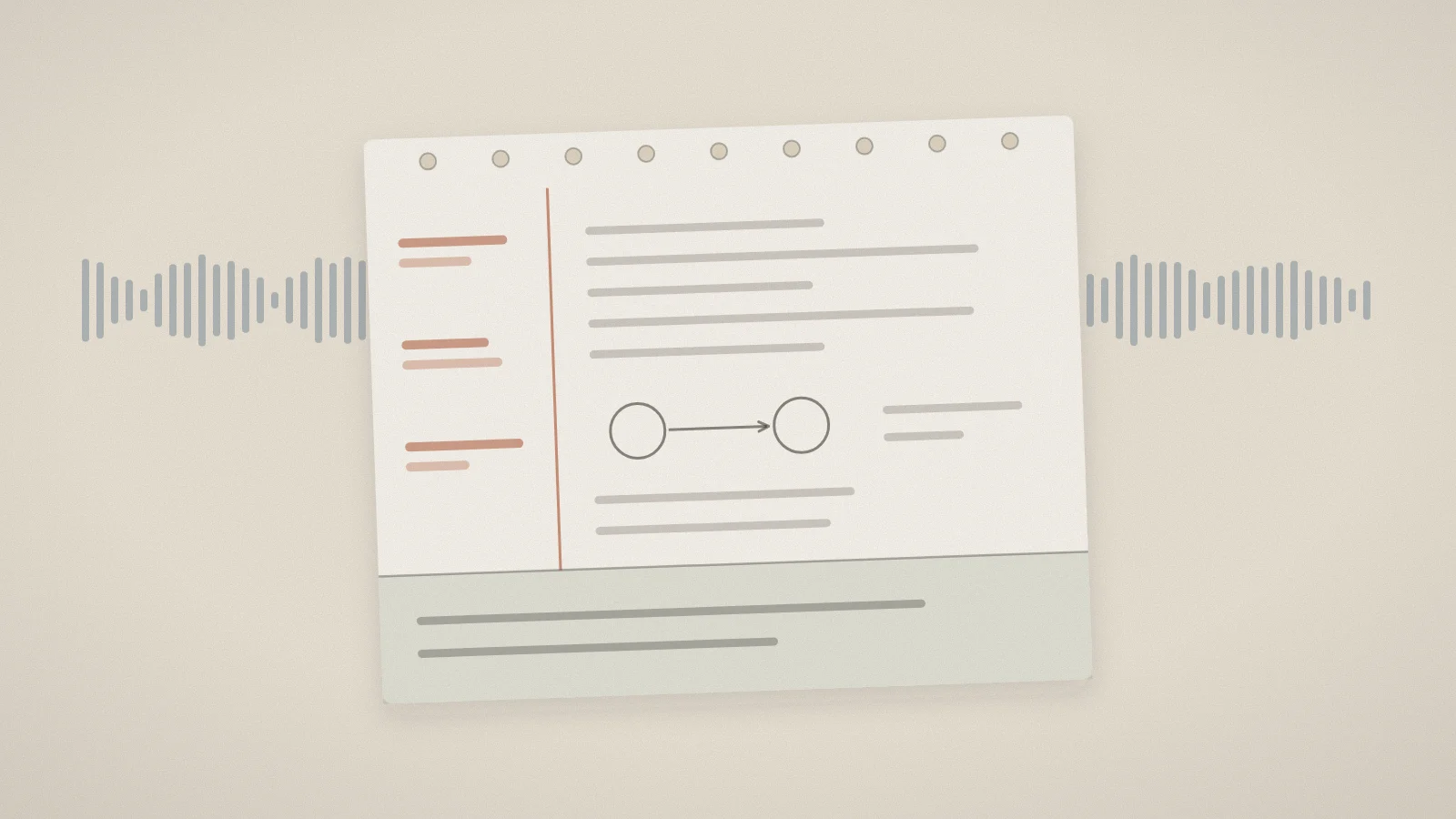
The Cornell method was developed by Walter Pauk at Cornell University in the 1950s, and it has survived because it builds review into the page itself. Divide each page into three parts:
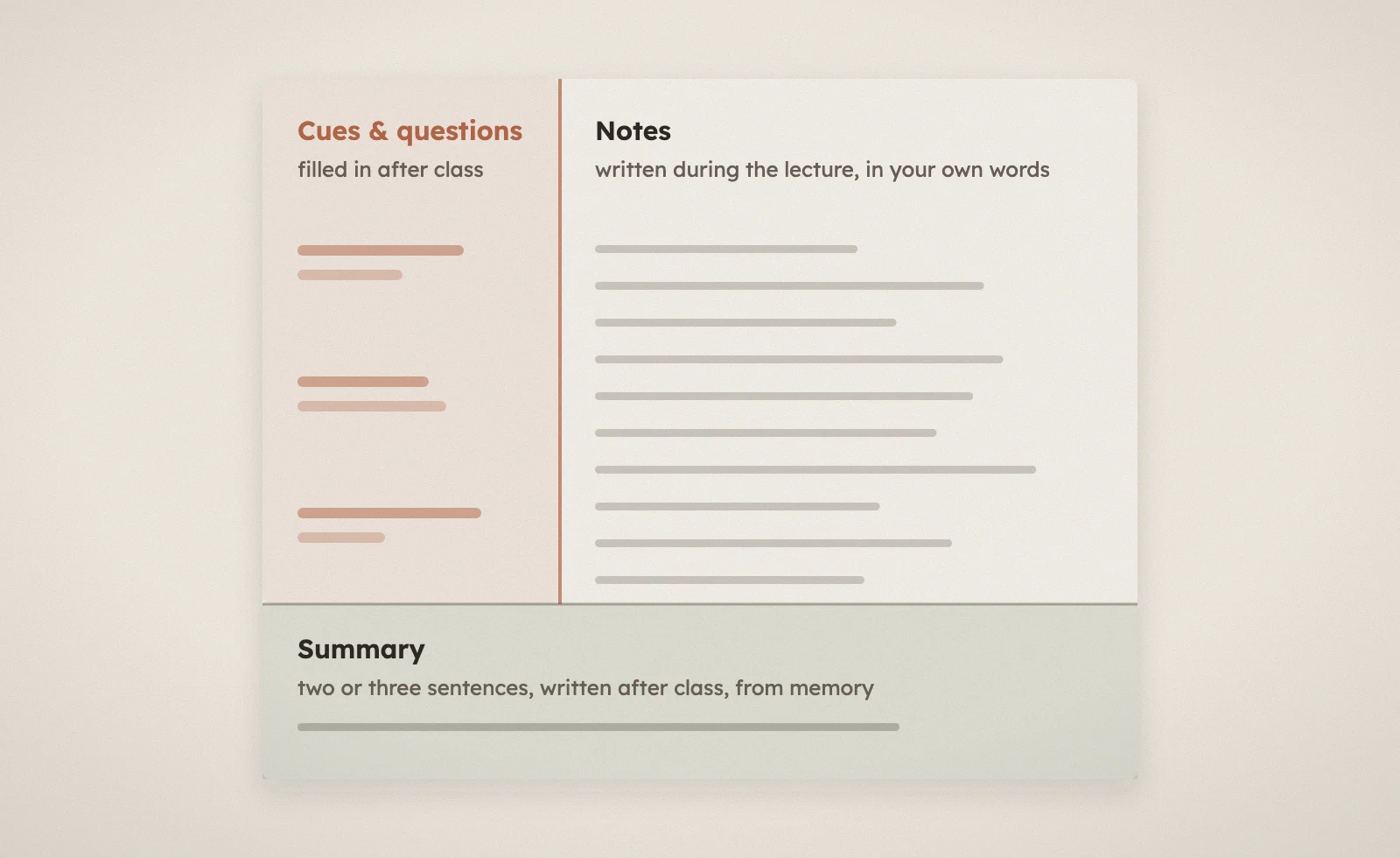
- Notes (the wide right column): what you write during the lecture. Short phrases, diagrams, examples - in your own words wherever you can.
- Cues (the narrow left column): left empty during the lecture. You fill it in afterwards with questions and keywords.
- Summary (the bottom band): also filled in afterwards - two or three sentences on what the page was about.
Paraphrase instead of copying
Putting an idea into your own words forces you to process it. If you can't paraphrase something, that's useful information too: mark it with a "?" and move on. Those question marks become your to-do list after the lecture.
Laptop or paper?
You may have heard that handwritten notes beat typed ones. A widely cited 2014 study by Mueller and Oppenheimer found that students who typed tended to transcribe word for word and did worse on conceptual questions. But a larger 2019 replication by Morehead, Dunlosky and Rawson found the differences were small and inconsistent.
The honest takeaway: the device matters less than what you do with it. If you type, resist transcribing. If you write by hand, you're forced to summarize anyway.
After the lecture: the 15 minutes that matter most
This is the step almost everyone skips, and it's where notes become useful. Do it the same day if you can - memory of the lecture fades fast.
- Fill in the cue column. For each chunk of notes, write a question it answers: "What does the Krebs cycle produce per turn?" "Why does opportunity cost ignore sunk costs?"
- Resolve your question marks. Look them up in the slides or textbook, or ask someone.
- Write the summary. Two or three sentences, from memory, then check them against the page.
- Test yourself. Cover the notes column and answer the questions in the cue column out loud. This is the whole point of the layout: your notes have turned into a self-quiz.
That last step is retrieval practice - pulling information out of memory rather than putting it in again. It's one of the most effective study techniques there is, and the Cornell format gives it to you for free. (More on why in why re-reading fails.)
What about recording the lecture?
A recording is a great safety net for the parts you missed - a formula that went by too fast, a definition you didn't catch. It's a poor substitute for being present, because re-watching a lecture is just re-reading with extra steps.
Use recordings to fill gaps, not to replace notes. And check your university's policy first: many lecturers allow personal recordings, but not all do.
If you do record, transcription removes the worst part of using a recording, which is scrubbing through an hour of audio to find one sentence. Skolight's AI note taker can transcribe an English-language lecture live in your browser and turn the transcript - or your uploaded slides and PDFs - into structured notes. Treat those notes the way you'd treat a classmate's: a starting point. The cue column, the summary, and the self-test are still yours to do, and they're where the learning happens.
Turning a semester of notes into revision
By the end of term, notes taken this way are already half a revision system:
- The cue columns are a ready-made bank of practice questions.
- The summaries are a fast way to review a whole week in five minutes.
- The question marks you never resolved show you exactly where your gaps are.
From there, it's a short step to flashcards for the facts and a practice test for the concepts. We walked through that whole pipeline in from a folder of PDFs to an exam-ready study set.
The routine on one card
- Before: skim, and write the lecture's main question at the top.
- During: notes in the right column, in your own words; "?" for anything unclear.
- After (same day): cue questions, resolve the "?"s, write a summary, test yourself.
Notes you test yourself on are notes you'll actually use.